
What’s New at Vignetim: September 2026 Updates
Four new things in the Vignetim app this September: a route planner, reminders before you reach a border, Apple Wallet and Google Wallet cards, and live status on your lock screen.
 Ramis Kalkan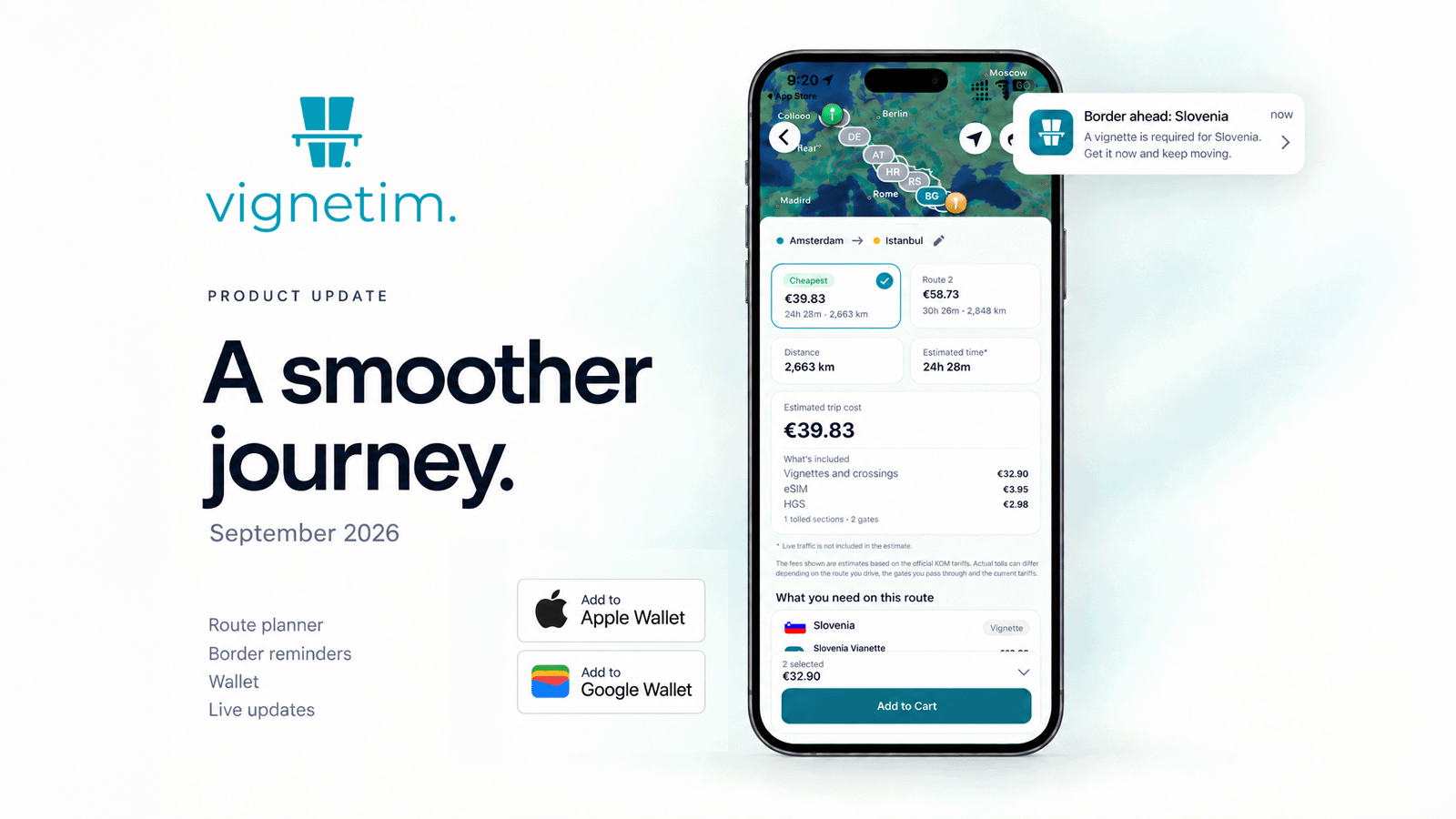
September brings four updates to the Vignetim app. You can now plan your route in the app, get a reminder before you reach a border without the vignette you need, add your vignettes and HGS to Apple Wallet or Google Wallet, and follow your vignette and order status on your lock screen.
Here is what each update does and how to start using it.
Plan Your Route in the App
The route planner is now part of the Vignetim app. Enter where you start and where you’re going, pick your travel dates, and choose your vehicle. Then tap Calculate.
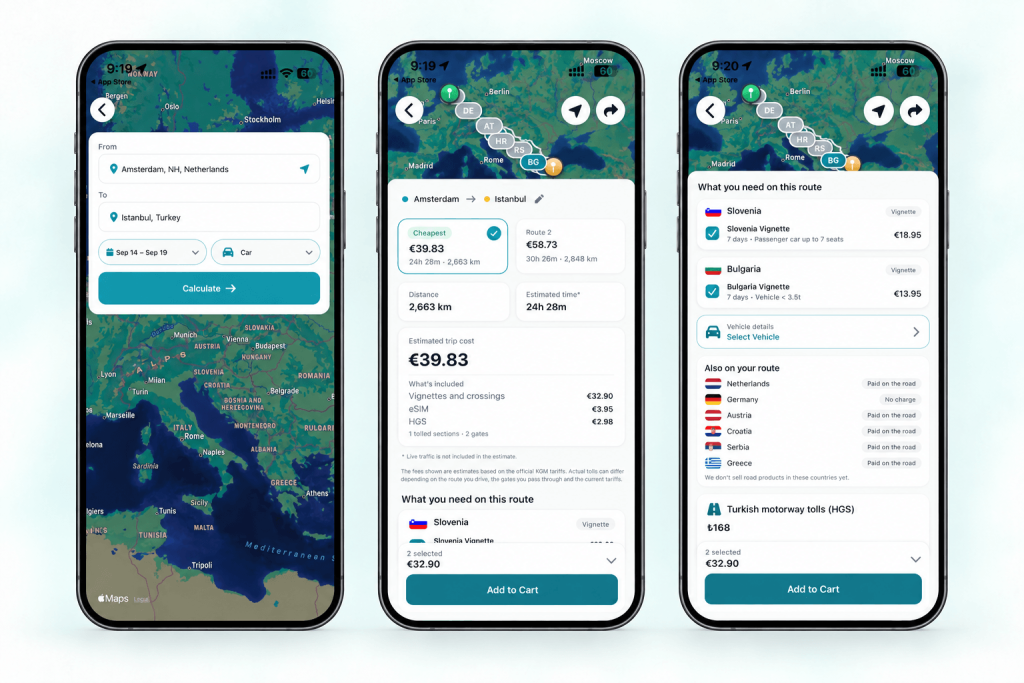
The planner shows you more than one way to drive, so you can compare the cheapest route with the others. For each route, you see:
- The distance and estimated driving time
- An estimated trip cost
- The vignettes each country on the route requires
- The countries where you pay tolls on the road, or pay nothing
- Turkish motorway tolls (HGS) when the route enters Turkey
- A data plan to stay online on the way
You can pick the vignettes you need and add them to your cart from the same screen. Your vehicle details decide the right vignette category.
Prefer a bigger screen? The same tool works in your browser as the Vignetim route planner.
Get a Reminder Before You Reach a Border
Many drivers remember the vignette only at the last exit before a border. The new border reminder helps you sort it out in time.
When you get close to a border anywhere in Europe, the app checks whether the country ahead needs a vignette that you don’t have yet. If it does, you get a notification, so you can buy it before you cross. If you already have a valid vignette for that country, you get no reminder.
Your location stays on your phone
The reminder uses your phone’s location to know when you’re near a border. This location information stays on your device and isn’t sent to Vignetim.
To turn the reminder on, allow location access when the app asks. You can change this at any time in your phone’s settings.
You can also check what each country requires on the vignettes and tolls by country page before you leave.
Add Your Vignettes and HGS to Apple Wallet or Google Wallet
Your vignettes and your HGS can now be saved as cards in Apple Wallet on iPhone and in Google Wallet on Android. They sit next to your other cards and passes, so they’re easy to find when you need them.
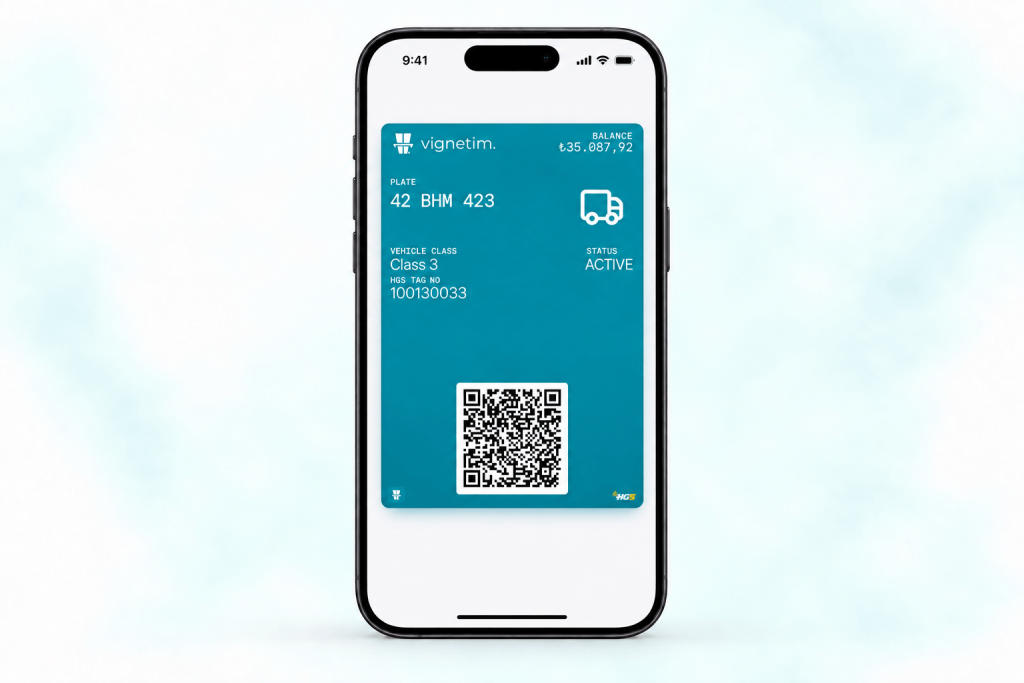
To add one, open the vignette or HGS in the Vignetim app and choose the option to add it to your wallet.
Driving to Turkey with a foreign plate? Get HGS for your foreign-plated car in the app, then keep it in your wallet for the trip.
Follow Your Vignette and Order Status on the Lock Screen
Vignetim now supports Live Activities on iPhone and Live Updates on Android. Updates such as your vignette status and your order status appear on your lock screen. On an iPhone with Dynamic Island, they also show at the top of the screen while you use other apps.
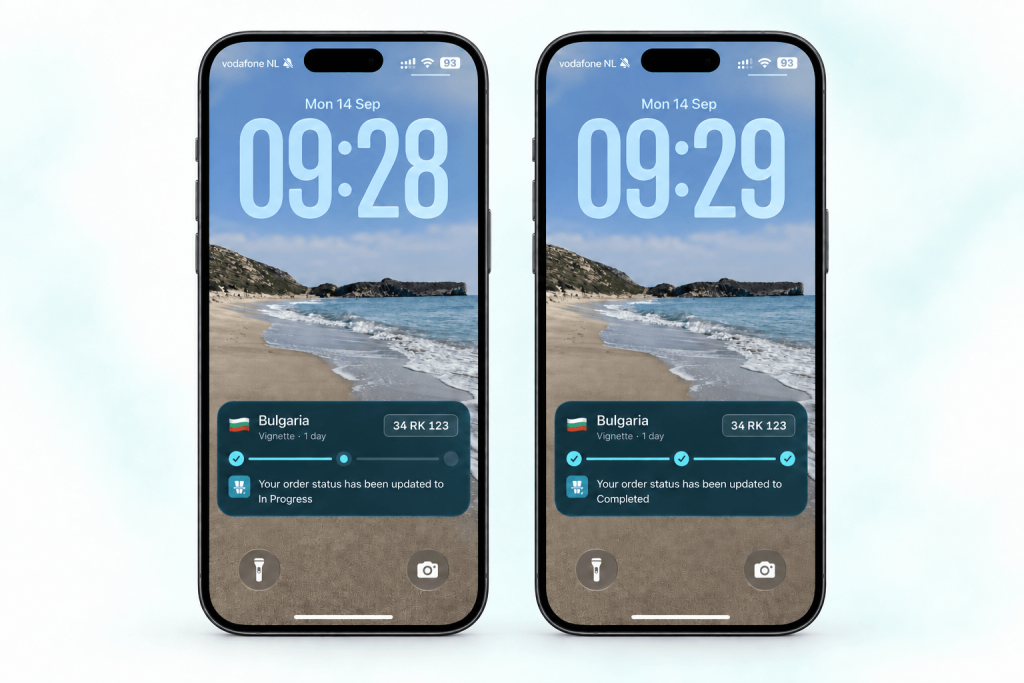
This means you can see how your order is going without opening the app. Check it only when you are safely stopped, not while you drive.
How to Get the Updates
Update the Vignetim app to the latest version:
New to Vignetim? Download the app, plan your first route, and see what your trip needs. If you want mobile data for the drive, you can also add a travel eSIM in the same app.
Ramis Kalkan leads growth at Vignetim. He writes about everything that makes European road trips smoother, from digital vignettes to eSIMs. Based in Ankara, usually mid-way through planning his next drive.